Rota
Simplifying fragmented travel planning
Through research and testing, we designed a unified experience that helps travelers organize information and make decisions more efficiently.
Quick Facts
Role
Lead Product Designer
Type
Mobile app from scratch
Tools
Figma, Trello, Maze
Platform
Mobile


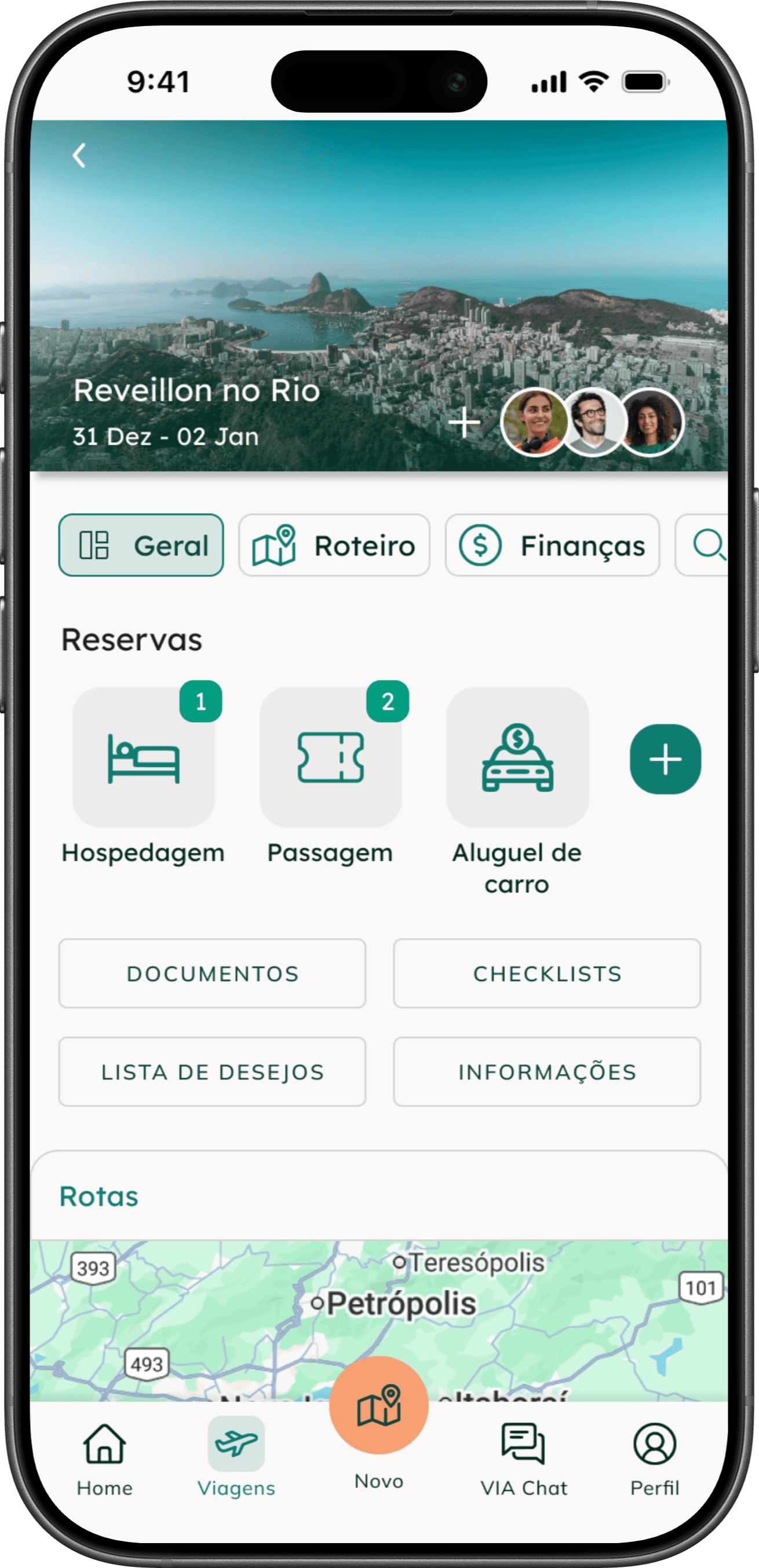
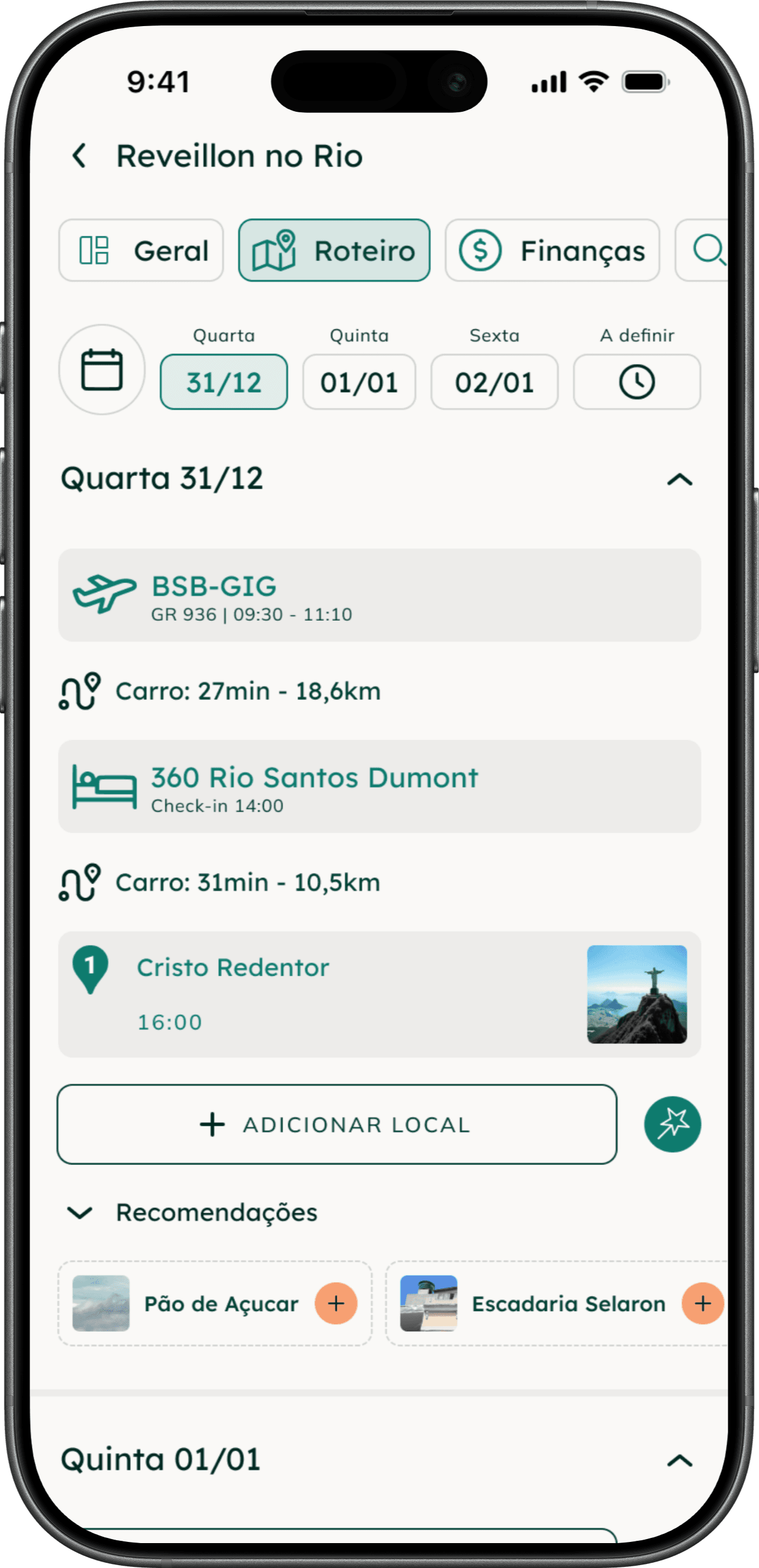


Project Overview
The Problem
Travelers often rely on multiple tools and platforms to manage itineraries, reservations, budgets and important information.
This fragmentation creates friction, increases cognitive load and makes planning more time-consuming and stressful.
Our Approach
Through surveys, user interviews and usability testing, we investigated travel behaviors, identified pain points and designed a unified planning experience to simplify decision-making and reduce cognitive load.
Research Overview
154
Survey
Responses
8
User
Interviews
25
Usability
Tests
2
Design
Iterations
Strategy
We kicked off the project by coming together as a team in a series of online workshop sessions, focusing first on aligning our vision and priorities. Before jumping into solutions, we wanted to clearly understand both the business context and who we were designing for. This led us to structure our early thinking, helping us frame key assumptions and define how the app could genuinely support users throughout their travel planning journey. This was made by using the following strategic frameworks:
Business Model Canvas
Value Proposition Canvas
Business Model Canvas

Value Proposition Canvas

User Research
Research Strategy
The research phase was a collaborative effort throughout the entire team and a key foundation of this project. We began with desk research, reviewing articles, documents, and books related to tourism and travel planning to build foundational knowledge on the topic. Based on these learnings, we mapped assumptions and uncertainties using a CSD matrix, followed by a lightweight competitor analysis to understand existing solutions and market patterns. After defining our research questions, we conducted a mixed-methods study combining a survey with 154 responses and in-depth interviews with selected participants. One key insight emerged clearly: many users abandon travel planning apps due to limited personalization and high costs, which became a central focus in shaping our solution.
CSD Matrix
Competitor Analysis
Quantitative and Qualitative survey
User interviews
CSD Matrix

Competitor Analysis
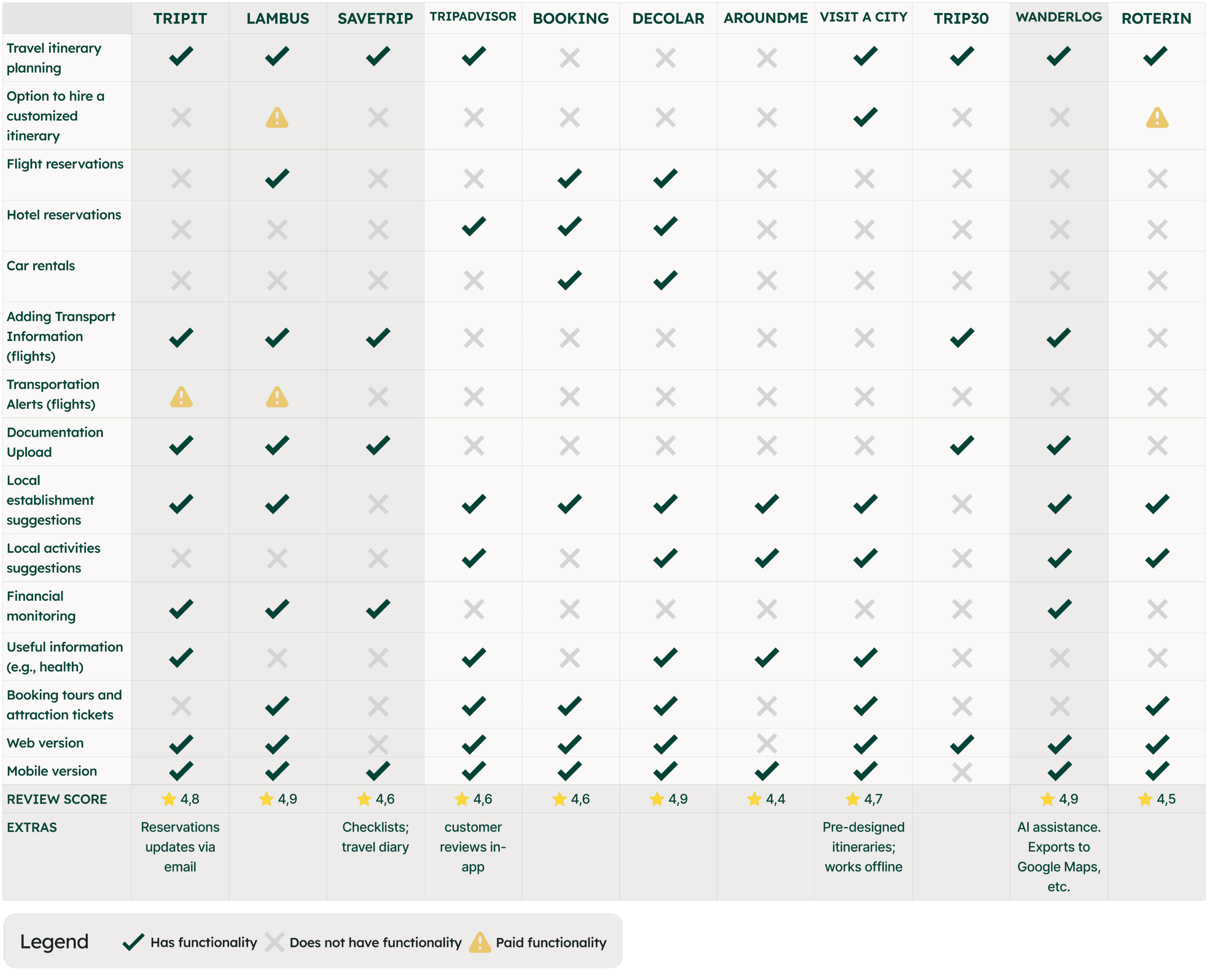
During the competitor analysis, our goal was to validate or challenge the assumptions and questions identified in the CSD matrix. We examined existing competitors to understand which features and possibilities were already available in the market, identifying gaps and opportunities for differentiation. This helped us clarify how our solution could stand out and create meaningful impact for users.
Survey
We defined our research questions around key assumptions and hypotheses. The questionnaire was reviewed and tested with close contacts before launch to ensure clarity and relevance. Its main objectives were to uncover users’ pain points when creating travel itineraries, understand which tools they feel are missing in the process, and explore how our target audience typically plans their trips. The survey combined quantitative and qualitative questions and allowed participants to respond anonymously or share personal information for follow-up interviews. At this stage we received 154 responses which were carefully reviwed, providing us with the following key insights:
User Interviews
For the interview phase, we leveraged all the insights gathered up to this point to craft questions aimed at addressing remaining uncertainties and new questions that emerged throughout the research process. The interviews were conducted remotely via Google Meet and, with participants’ consent, screen recordings were made using OBS to support later analysis. Participants were selected from survey respondents who opted in for follow-up, with the goal of ensuring diversity across key demographic factors such as age, gender, travel frequency, and planning habits.
The goal was to uncover how people currently plan their trips, which tools they rely on, what frustrates them, and where digital solutions fail to fully support their needs.
Key Research Insights
Combining survey results and qualitative interviews, clear behavioral patterns emerged across different travel profiles, budgets, and planning styles.
Travel Planning is Fragmented
Users rely on multiple disconnected tools, resulting in scattered information and inefficiency.
Personalization With Autonomy
Travelers want tailored suggestions but maintain full control over itinerary decisions and adjustments.
Price is Central to Every Decision
Cost comparison for flights and accommodation is perceived as the most stressful and time-consuming part of planning.
Organization Reduces Planning Anxiety
Managing bookings, confirmations, and documents creates stress. Many users rely on manual backups to feel secure.
Trust Drives Booking Confidence
Users heavily depend on reviews, social proof, and personal recommendations. Generic or automated suggestions are often viewed with skepticism
Travel Context Shapes Behavior
Planning behavior changes depending on travel type and company, yet current tools rarely adapt to these contextual differences.
User Archetypes
Based on the interviews and research synthesis, three distinct user archetypes were defined to represent recurring behavioral patterns in travel planning. Each archetype reflects a different mindset, motivation, and relationship with the planning process.
For the purpose of this portfolio, the archetypes are presented in a summarized format, highlighting their core behaviors, pain points, and needs.

Control-driven
Clara
The independent planner
“Planning is part of the trip.”
Values
Autonomy and freedom
Having control
Behaviours
Never hired travel planning services
Enjoys planning
Travels in different contexts
Pain points
Loses time switching between tools
Doubts generic recommendation
Needs
Centralized planning;
Smart recommendations;
Control over itinerary modifications.

Convenience-driven
Lucas
The practical escaper
“I don´t like planning, I just want to travel”
Values
Saving money
Practicality and convenience
Behaviours
Avoids complex planning
Budget-driven decisions
Travels to unwind
Pain points
Overwhelmed by research
Unsecure about how to structure an itinerary
Needs
Ready-to-use travel itineraries with adaptation possibilities;
Budget-aligned suggestions.

Comfort-driven
Isabela
The comfort-oriented explorer
“Too much information makes it harder to decide.”
Values
Quality time with her family
Comfort and sense of security
Behaviours
Prefers authentic and unique experiences
Travels with family
Has a flexible budget
Pain points
Overwhelmed by excessive information.
Would like to share the itinerary with her family members
Feels insecure with cultural and language differences
Needs
Simplified visual interface with curated content;
Easy sharing of itineraries;
Simplified cultural guide.
User Journeys
To better understand how each archetype navigates the travel planning process, detailed user journeys were created for all three profiles, enabling cross-pattern identification and informing a stronger product direction.
Below, one journey is presented in a simplified format.
Clara - The independent planner
Frequent traveler who enjoys planning and values autonomy.
Travels solo and seeks authentic, personalized experiences
Inspiration & Decision
Research & Booking
Itinerary Planning
Preparation
During
the trip
Post-trip
Clara explores destinations aligned with her interests and flexibility.
She researches activities, talks to people, creates custom maps and builds her own itinerary.
She follows her itinerary but adapts as needed.
Emotions & Painpoints
Excitement
Curiosity
Fatigue
Apprehension
Enjoyment
Confusion
Antecipation
Anxiety
Autonomy
Satisfaction
Fulfillment
Nostalgia
Safety concerns for solo traveler
Tool switching and prince uncertainty
Ejoying planning but insecure about recommendations
Fear of forgetting important documents
Satisfied for living the plan, still relies on multiple apps
Fulfilled but nostalgic.
Opportunities
Personalized destination suggestions
Smart price comparison
Centrilize travel planning
IA assisted planning
Curated recommendations
Interactive checklist
Document folder
“I am travelling” mode
Location based tips
Easy itinerary sharing
Automated travel mamory
User Journey

From Insights to Priorities
To translate research insights into actionable product direction, we mapped identified opportunities across two strategic frameworks: a User Value × Business Value matrix and a Now–Next–Later roadmap.
This approach allowed us to prioritize features not only based on user impact but also on business potential, ensuring the solution would be both desirable and viable.
User Value × Business Value
To determine where to start, features were evaluated according to the value they create for users and their potential impact on business growth.

Priorities
Reevaluate approach
Evaluate feasibility
Ignore/Discart
Unified travel planning system
Hands-on planning mode with AI suggestions
Integrated expense tracking system.
Secure document storage with automatic trip organization and offline access.
Interactive checklist with customizable reminders.
Attraction info with average visit time and key details
Price history tracking with best-time-to-buy suggestions.
Curated and verified destination content
Easy itinerary and document sharing via link or app
Simplified cultural guide with translation integration
Weather alerts for the destination.
Anonymous average spending insights from other travelers
Automatic travel album generation
Smart price comparison with personalized alerts.
“Travel mode” with real-time geolocated suggestions.
Advanced filters for flights, accommodation, and activities
Travel tips and reminders
Collaborative group planning space with shared access and comments.
Editable ready-made itineraries at affordable prices.
Personalized publicity recommendations.
Option to share the app with friends
Post-task feedback and improvement suggestion system.
User reviews and rating system.
Now-Next-Later
Based on this prioritization, we structured the roadmap using a Now–Next–Later framework to define the MVP scope and future expansion phases.
Now: Core features necessary to validate the product hypothesis.
Next: Enhancements that deepen personalization and retention.
Later: Scalable features designed to expand the ecosystem and long-term engagement.
Now
Unified travel planning system
Hands-on planning mode with AI suggestions
Integrated expense tracking system.
User reviews and rating system.
Next
Editable ready-made itineraries at affordable prices.
Personalized publicity recommendations.
Collaborative group planning space with shared access and comments.
Later
Secure document storage with automatic trip organization and offline access.
Interactive checklist with customizable reminders.
Travel tips and reminders
Post-task feedback and improvement suggestion system.
Personalized publicity recommendations.
Architecture Information
A simplified fluxogram of the containing information was made, to guide which pages would be needed and how they would connect:
HOME
MY TRIPS
NEW TRIP
EXPLORE
PLANNING / FINALIZED
ADD INFORMATION
TRIP
GENERAL INFORMATION
PERSONAL INFORMATION
FAVORITES
DOCUMENTS
PREFERENCES
NOTIFICATION
ITINERARY
FINANCE
EXPLORE
VIA CHAT
PROFILE
From Strategy to Structure
Wireframe
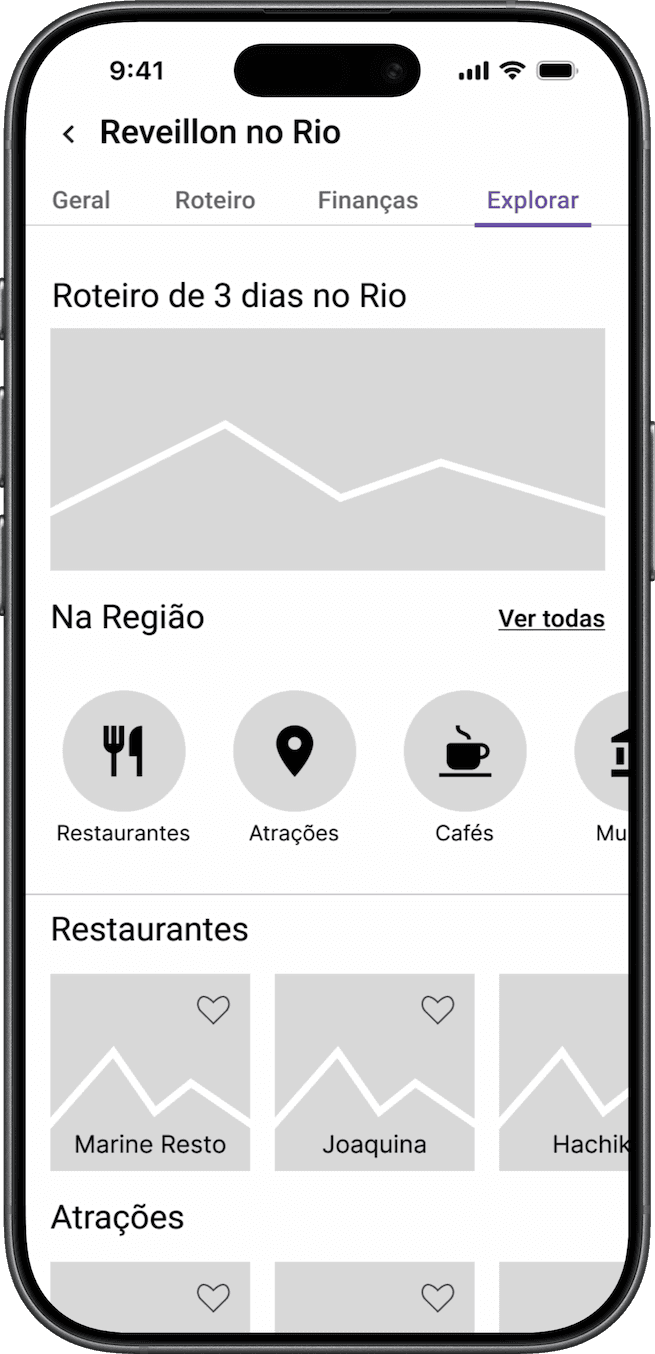
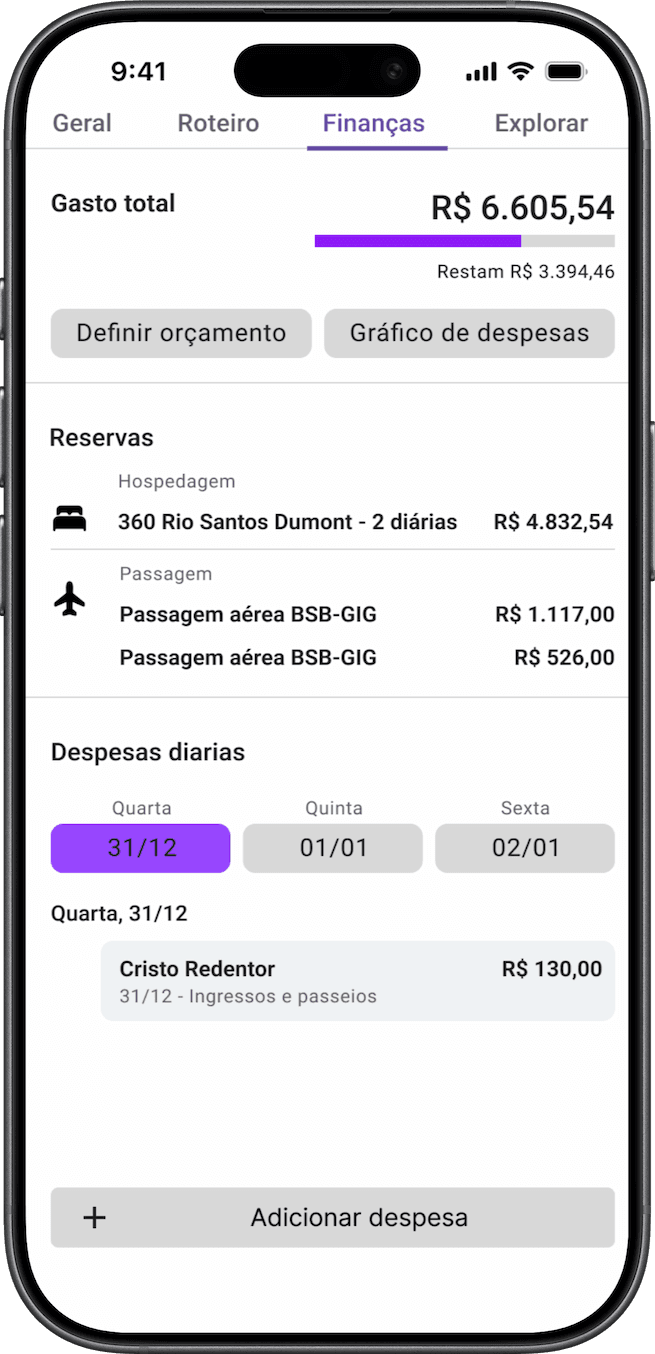
With priorities defined, the next step was to translate strategic decisions into structural flows. Low-fidelity wireframes were created to validate layout, hierarchy, and core navigation before investing in visual design.
The focus at this stage was clarity, feature placement, and ensuring that the primary planning flow aligned with user needs identified during research.


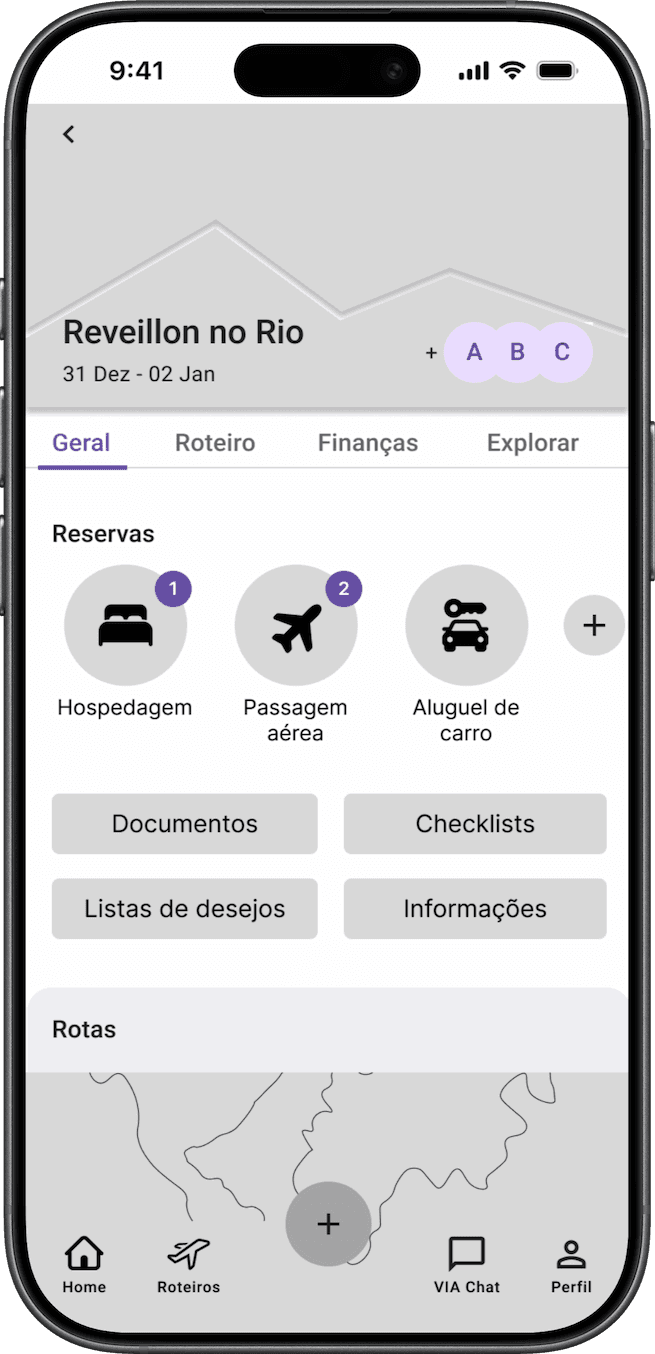



Wireframe Testing
To validate the core structure and task flow, usability tests were conducted using low-fidelity wireframes. The wireframe usability test was conducted with three participants in a qualitative format, focusing on identifying friction points and structural improvements before moving to high-fidelity prototyping, where broader quantitative validation would follow.
Three primary user journeys were tested through structured task scenarios, simulating realistic planning situations. Each task was designed to evaluate navigation clarity, feature discoverability, and logical progression between steps.
Task 1
Participants were asked to create a new itinerary starting from the home screen where a contextual scenario was provided.
Task 2
From the completed itinerary screen, participants were instructed to add a specific activity to the trip.
Task 3
Starting again from the itinerary screen, users were asked to add an expense linked to the activity created in Task 2.
Main Button
During testing, not all participants immediately understood that the “+” button was used to create a new itinerary. The icon alone did not provide enough contextual clarity.
Iteration
To improve discoverability, the button was redesigned with more representative iconography and an accompanying text label.
Home
Roteiros
VIA Chat
Perfil
Novo
Home
Minhas viagens
VIA Chat
Perfil
Task Completion
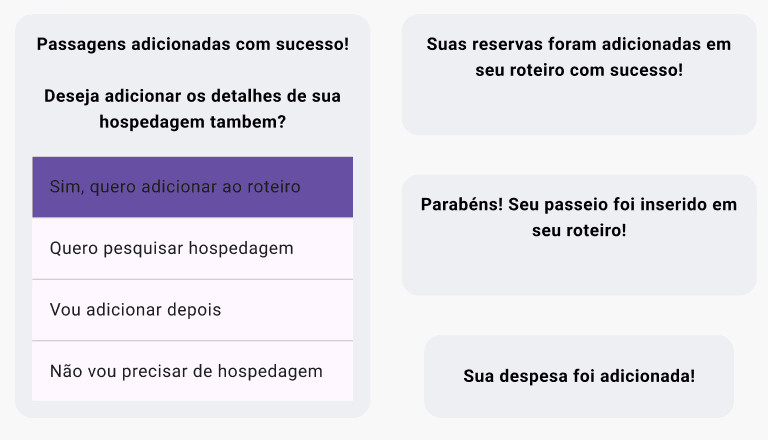
Participants did not clearly perceive when a task was completed. The lack of feedback created uncertainty about whether their action had been successfully finalized.
Iteration
To address this, confirmation pop-ups were introduced to signal task completion and suggest the next logical step.
Style Guide
Once the structure and core flows were validated, the next step was defining the visual direction.
To ensure consistency and alignment with the product’s goals, a style guide was created as the foundation for the interface. This guide established typography, color system, spacing, and component standards, ensuring a cohesive and scalable visual language across the platform.
Variation 01
HEX #EDECEA
Variation 02
HEX #D4D3D1
Neutral
Colored text
HEX #FAF9F7
Primary color
HEX #0E7C6F
Call to action
HEX #F7A072
Darker
HEX #007063
Lighter
HEX #248A7E
Darker
HEX #EB8149
Lighter
HEX #F7B897
Brand Colors
Success
HEX #3A9C60
Information
HEX #48C9B0
Warning
HEX #B88300
Danger
HEX #BD492D
State Colors
Dark 3
HEX #004235
Dark 2
HEX #00362B
Dark 1
Colored text
HEX #002820
Dark Mode
Success
HEX #55B67B
Information
HEX #48C9B0
Warning
HEX #E9C46A
Danger
HEX #EA5B37
Typefaces
Title
Lexend
Google fonts
Paragraph
Mulish
Google fonts
In addition to typography and color systems, other foundational elements were defined at this stage, including text hierarchy, iconography standards, grid structure, and core UI components such as buttons, input fields, and cards.
Validation
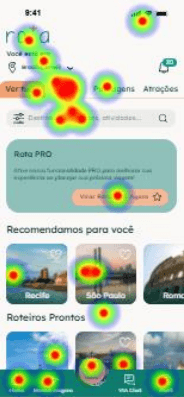
After applying the style guide and design system into the app, we conducted one round of usability testing with users uusing quantitative method through maze with heat maps and open questions, and reached some interesting insights:
Home page
Participants often felt unsure about where to click. Based on their responses, we identified that the home screen contained too much information, and the use of colors was affecting their ability to clearly identify the path to complete the task.
CTA button
On some screens where the CTA button (primary action) is not immediately visible, users struggled with findability. Keeping the action bar fixed and visible would help improve discoverability.
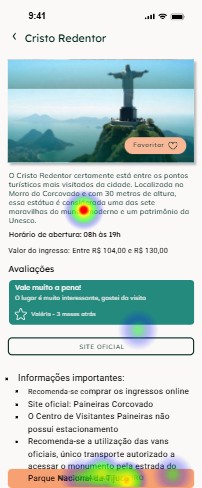
Overall Results
Overall, the results were very positive, achieving a score of 88.16 out of 100. Which demonstrates that we were on the right path but still needed some adjustments to make the interface ideal.
The Solution
After conducting the tests, we implemented the necessary improvements based on the insights gathered. The updated design reflects these adjustments, as shown below.
Homescreen
The main activities that the user will need to perform are presented at the homescreen:

Searchbar
Searchbar for users who know what they want and prefer to go direct to the point
Travelling
Travelling status for during the travel tips and suggestions and easy access to current itinerary.
Recomendations based user´s taste and past researches.
Recommendations
Readymade
Readymade itineraries that can be saved on your trips and edited according preferences.
Navigation
A quick access to the significant topics which will help the user complete the tasks smoothly as possible.
Location
Suggestions are based on device’s geolocation
Categories
Explore by category.
Type of Trip
Explore by type of destination.
Rota PRO
Rota PRO suggestion. With professional and IA assistance.
Personalization and Autonomy
Users can start with ready-made itineraries and customize them, or create their own itineraries from scratch. They can add attractions freely, set dates and times for each activity, and view estimated travel time and transportation between locations. In the Pro version, AI assists in building personalized itineraries based on the destination and the user’s preferences.


Financial Organization
Users can track and manage their travel expenses by adding costs throughout the trip. They can also set financial goals to better plan their budget. Expenses can be shared with friends who are traveling together, allowing the app to split costs and send notifications showing how much each person owes to those who paid for a specific activity. All of this is integrated with the itinerary, so when a cost is added to an activity in the itinerary, it automatically updates the expense tracking page.

Onboarding
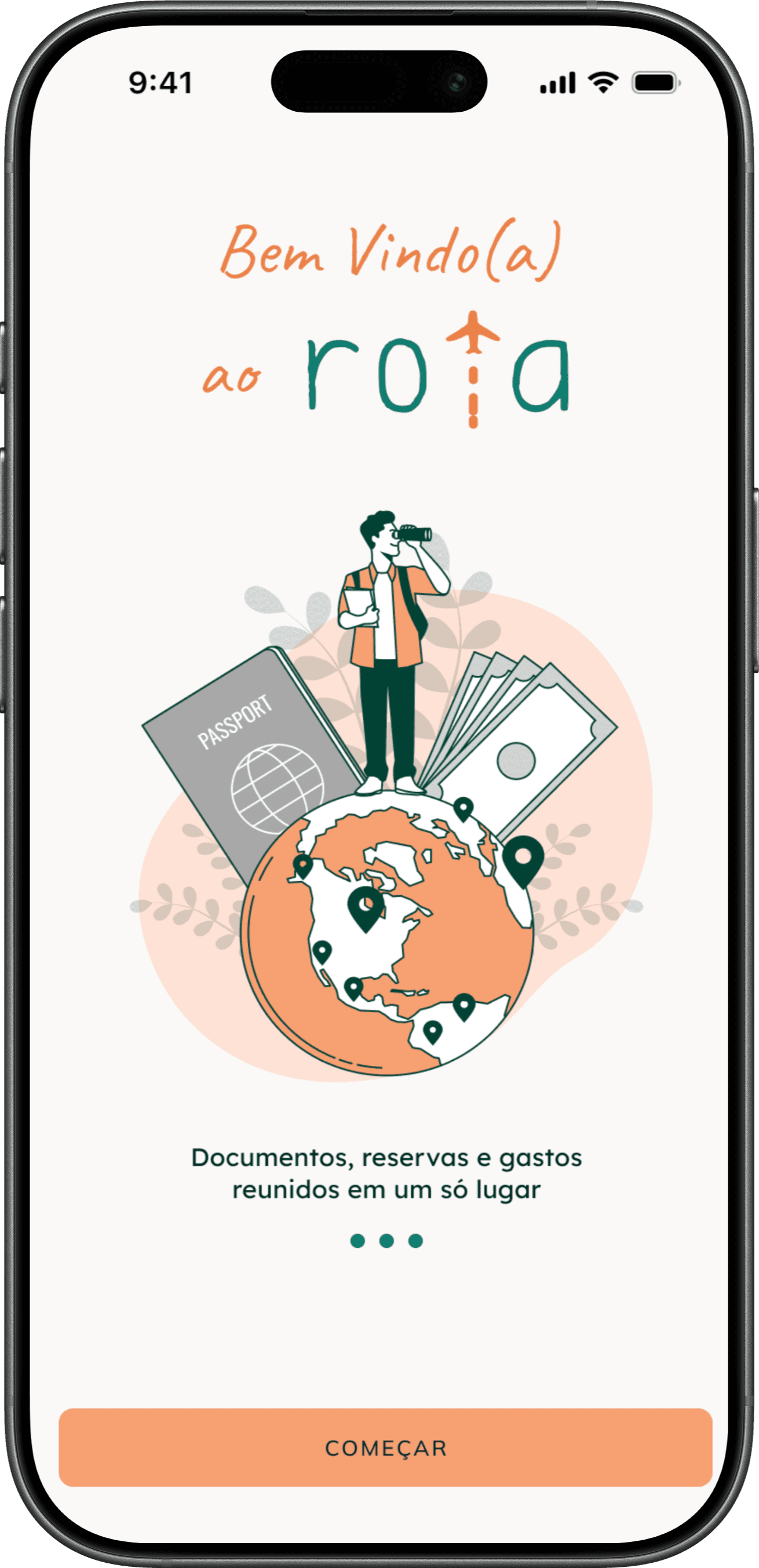
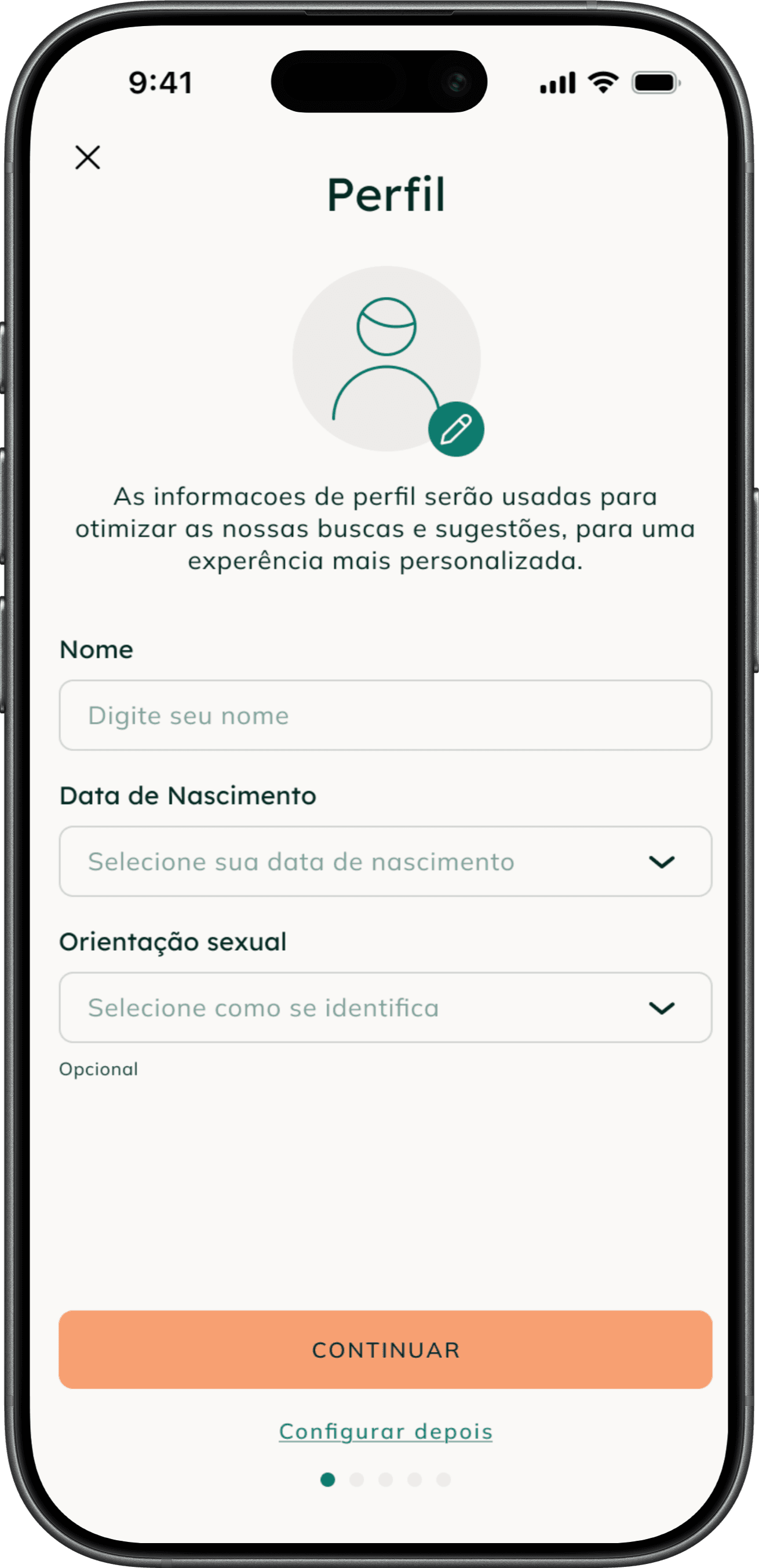
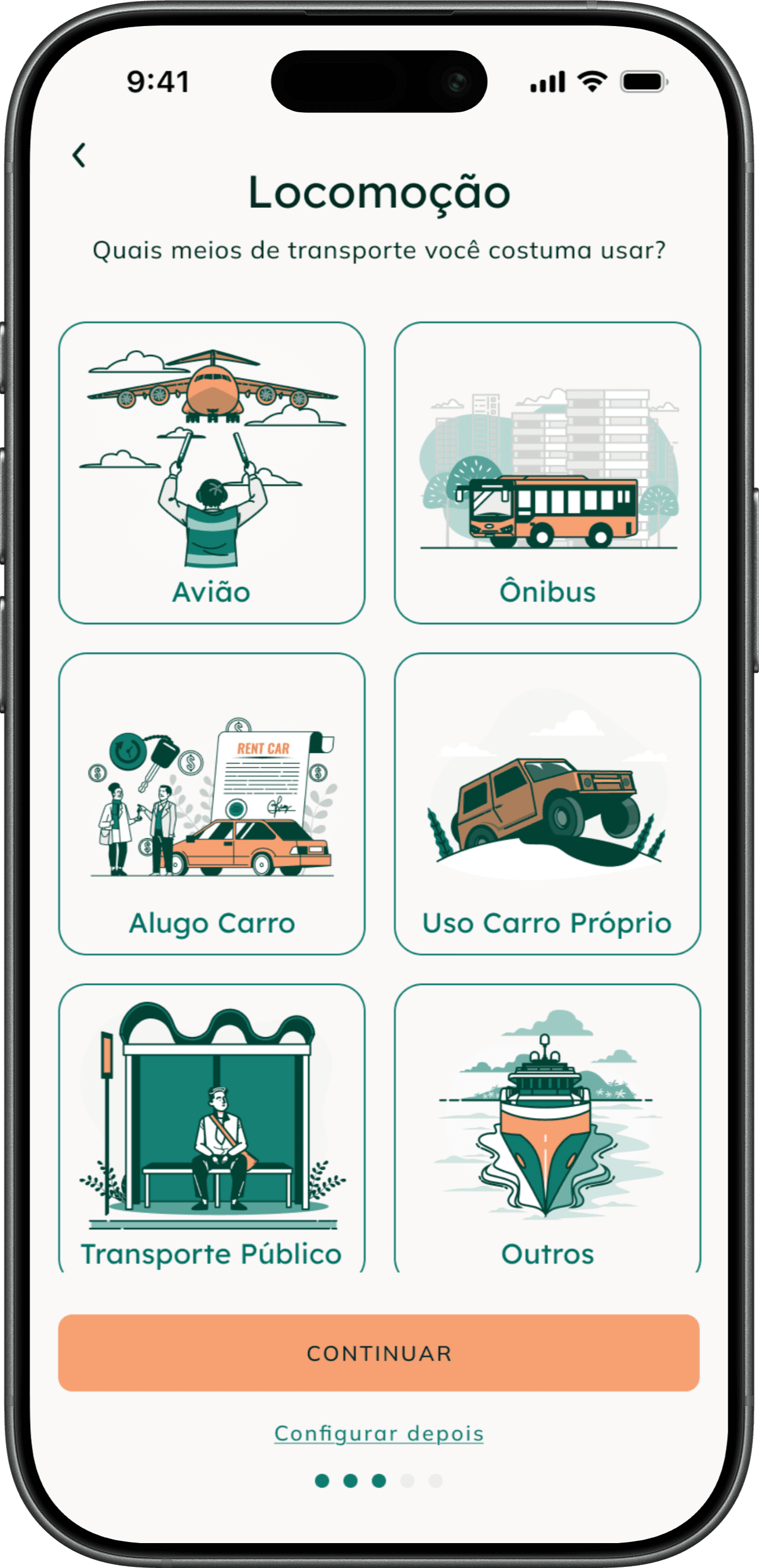
During onboarding, users can choose to add their travel preferences to help personalize the app experience from the start, or skip this step and add them later.







Accommodation
Search for Hotels and accommodation and be redirected to websites where you can make your reservations. After that you can add the reservation to you itinerary by sharing your confirmation email or adding details yourself.


Flight tickets
Search for flight tickets and be redirected to websites where you can purchase them. After that you can add the ticket to you itinerary by sharing your confirmation email or adding flight details yourself.


Notifications
You can enable your notifications for reminders about your trip, as well as price alerts.


AI Chat
An integrated AI chatbot that helps you plan your trip.

Other pages


Scope & Next Steps
Although this was a comprehensive case study, there are still clear opportunities for further improvement and validation.
Next Steps
A/B Testing
The next step would be to run an A/B test comparing the previous version with the updated solution. This would allow us to validate whether the design changes effectively improved the user experience and identify additional areas for refinement.
Additional features
Several valuable features were identified during the discovery phase that were not included in the MVP due to prioritization constraints. A natural next step would be to explore and integrate these features, ensuring they align with user needs and product goals.
Live feedback
The product would be launched and continuously monitored through user reviews and behavioral data, enabling ongoing iterations and feature improvements based on real usage.
This iterative approach ensures the product continues to evolve based on evidence, not assumptions.
Key Learnings
Real value comes from integration, not features.
The strongest part of the product is not individual features, but how they connect:
itinerary
expenses
transportation
This integration creates real user value and differentiates the product.
Prioritization is essential.
Not all identified features made it into the MVP. Learning to prioritize based on impact vs. effort was critical to keep the project focused and deliverable.
Clarity beats feature density.
The initial version had too much information on the home screen, which reduced usability. Simplifying the structure and prioritizing key actions significantly improved navigation and task completion.
Want to see more?
Next Project